Automated Document Separation
PaperStream leads the industry with the widest range of batch‑separation methods from any major player in the field – one of its key differentiators from competitive products.
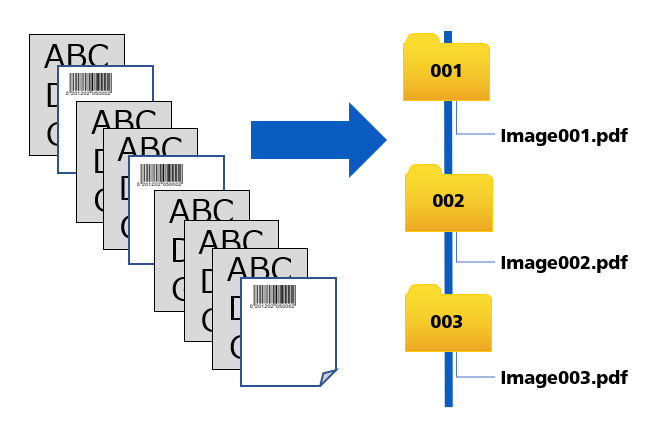
PaperStream Capture Pro and PaperStream Capture Pro Premium can separate a stack of scanned papers into individual files by many different means:
- Page count: counts the pages and creates a new file after a specified number of pages
- Blank page: creates a new file whenever a blank page is detected
- 1D or 2D barcode: creates a new file whenever a barcode is encountered and captures information from the barcode
- Patch code: creates a new file whenever a patch code is detected
- Zonal OCR: looks for content in a specific area of the page and creates new files accordingly
- Key press: creates a new file whenever a specified key is pressed
- Specific document: creates a new file whenever a predefined document, such as a header sheet, is encountered
- Form‑layout identification: creates a new file whenever a specific form layout is detected
Automatic Profile Selection
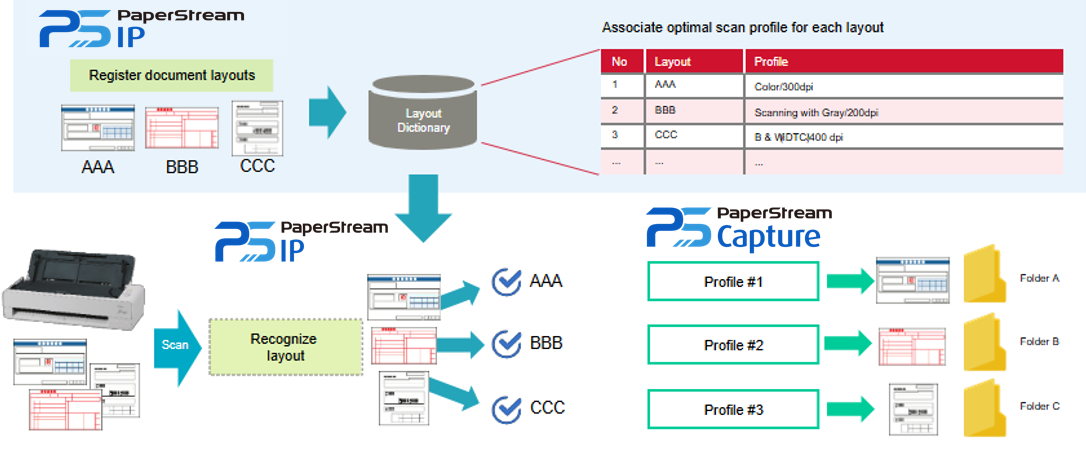
Automatic profile selection uses functionality from both the PaperStream IP driver and PaperStream Capture software.
It identifies pre‑registered documents and applies the correct pre‑set profile when that document is scanned. This typically allows documents such as invoices to be recognised within a batch and handled appropriately.
Pre‑registration is part of the profile‑configuration process: a document is scanned and registered during setup. Whenever that document is encountered during scanning, the correct profile - including format and destination - is automatically applied.
Assisted Scan
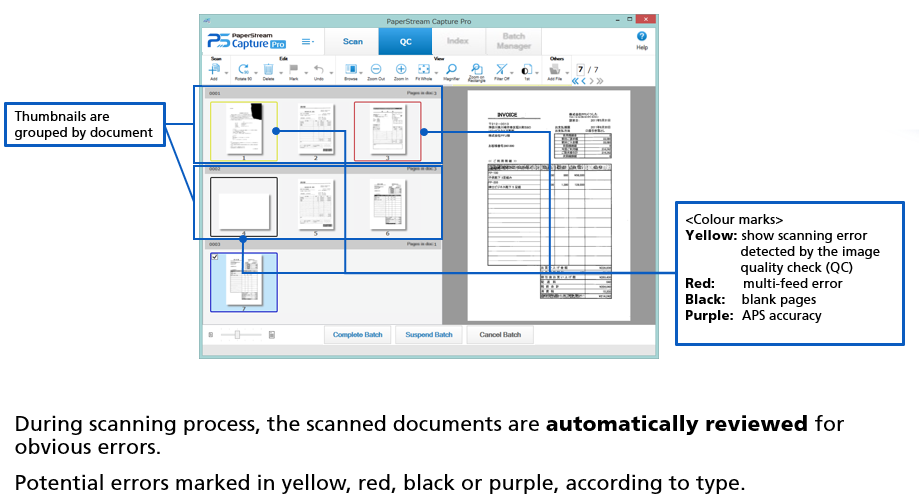
Automatic image‑quality check highlights potential issues on a scanned document during the QC stage. It allows operators to quickly identify and resolve QC issues with a specific scan.
Potential image‑quality issues are marked in yellow, multi‑feed errors in red, blank pages in black and automatic profile selection in purple.
Data Extraction
Many capture applications pass images downstream for later data extraction. PaperStream recognises that some workflows require data to be extracted and passed on earlier in the process.
In the standard version of PaperStream Capture, two areas are supported: document metadata and the machine‑readable zone (MRZ) on identity documents.
Up to 20 metadata fields can be selected for reading by PaperStream. The embedded OCR engine converts these fields into digital data - commonly used to incorporate document data into filenames.
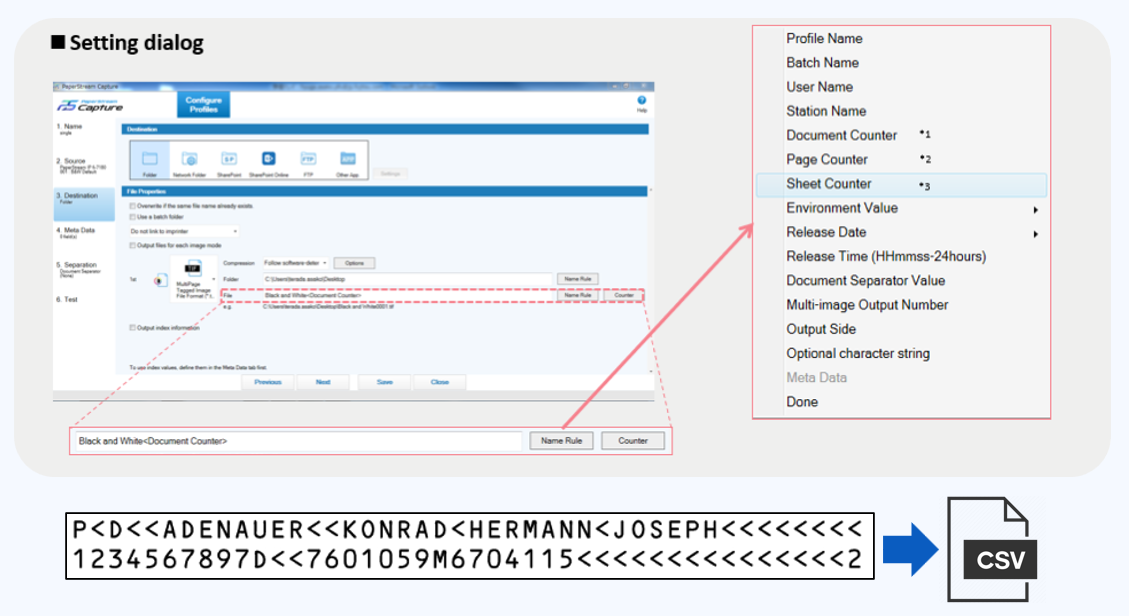
Working with PaperStream IP, the system can also read the MRZ of passports and ID cards that conform to international standards.
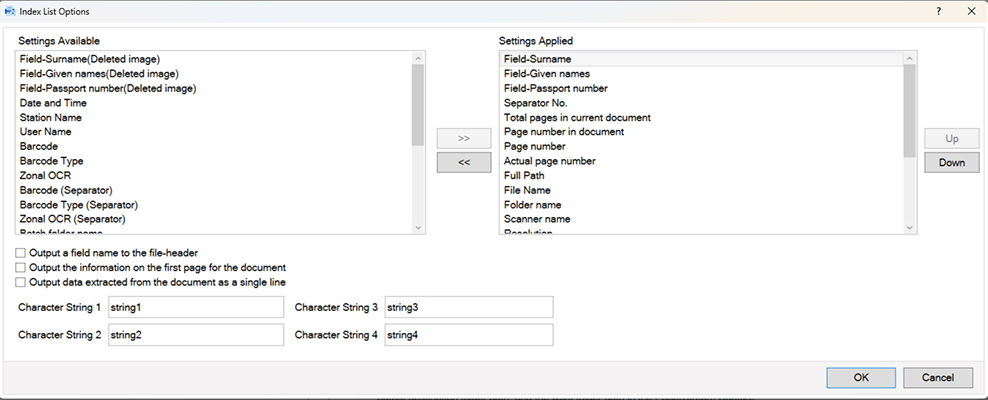
PaperStream Capture enables a wide set of metadata to be output as TXT, XML or CSV files. It also allows easy selection of which data to output, the order of output and the format of the output file.
During QC, an indexing window allows checking and correction of captured metadata.
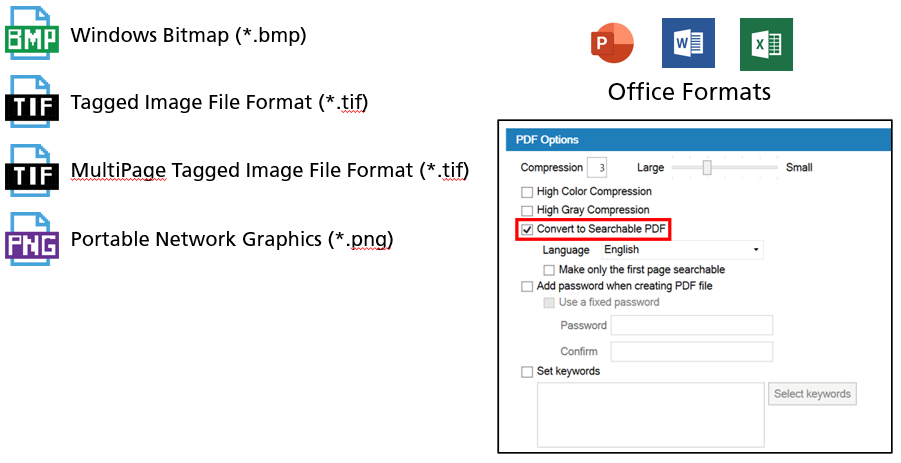
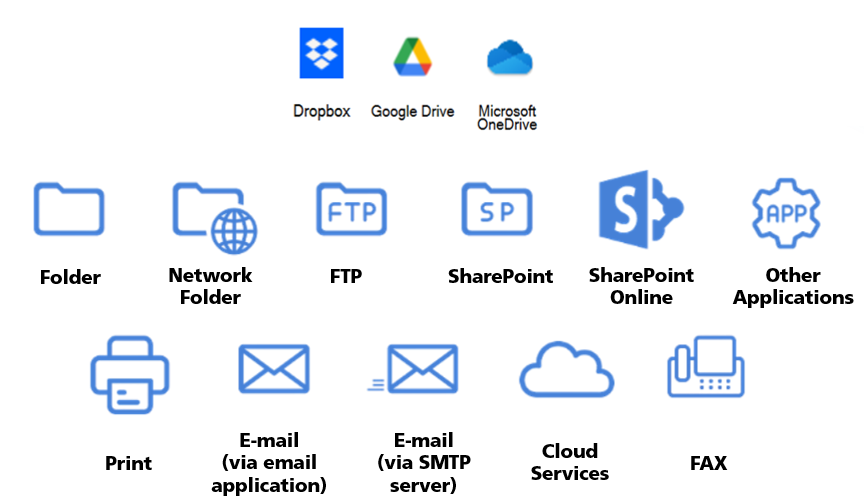
A wide variety of output destinations is supported. In addition to local PC folders, this includes network folders, FTP and SharePoint sites and email via a local client or SMTP server.
PaperStream Capture also supports scanning to the three most widely used cloud‑storage services: Dropbox, Google Drive and OneDrive.