
PaperStream ClickScan: Easily handle ad‑hoc scanning requirements
For organisations using RICOH‑branded scanners who need a more efficient way to capture information.
PaperStream ClickScan makes it easy to handle ad‑hoc scanning requirements and distribute the resulting images and data, helping organisations build more streamlined and economical digital workflows.
Feature Summary
Ready-to-scan
Instant ad-hoc scanning at the push of a button
High-quality images with one click
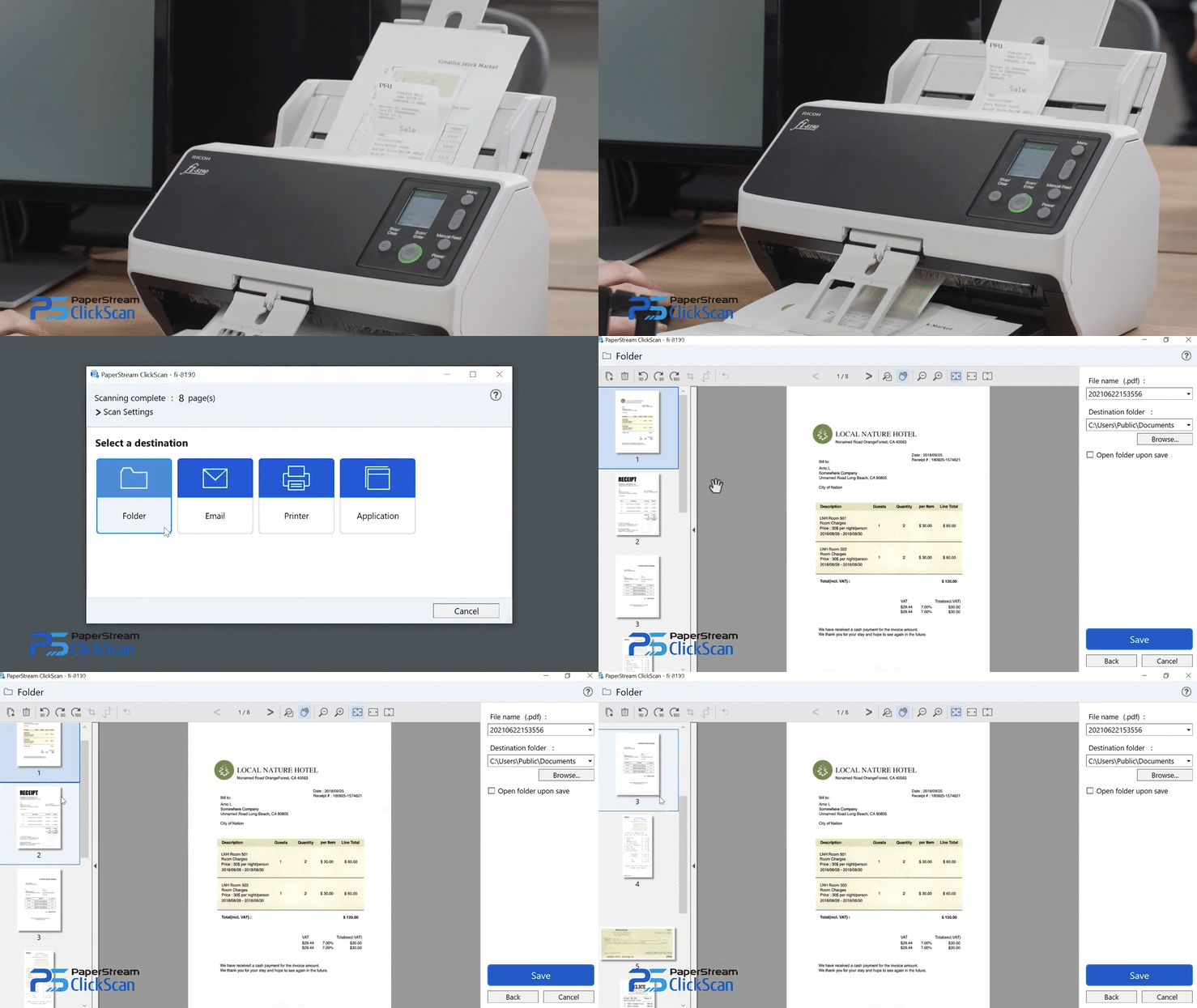
One‑touch operation effortlessly and immediately creates high‑quality images with a single push of a button.
No configuration
Default output setting of auto‑colour PDF format.
Automatic scanner detection
PaperStream ClickScan automatically detects connected RICOH scanners. Operators simply scan, then save to their selected destination.

Time saving
Intuitive features that save time and make scanning more efficient
Pre-specified destinations
Set up a pre-specified scan destination, if required.
Easy-to-use interface
Settings can still be quickly and easily tailored to suit scanning needs.
Preview and edit scans before releasing
Ensure the end result meets requirements before saving.
Technical Specifications
| Supported Scanner Models | ||
| Workgroup | SP-1120N / SP-1125N / SP-1130N / SP-1425 / fi-70F / fi-800R / fi-8040 / fi-8150 / fi-8170 / fi-8250 / fi-8270 / fi-7300NX |
|
| Departmental | fi-8190 / fi-8290 / fi-7460 / fi-7480 |
|
| Production | fi-7600 / fi-7700S / fi-7700 / fi-7800 / fi-7900 / fi-8820 / fi-8930 / fi-8950 | |
| Discontinued | fi-65F / fi-7030 / fi-7140 / fi-7240 / fi-7160 / fi-7260 / fi-7180 / fi-7280 | |
| Supported Languages*1 |
English, French, German, Italian, Spanish, Russian, Arabic, Turkish, Japanese, Chinese (simplified), Chinese (traditional), Korean, Portuguese (Brazil) | |
| Compatible Scanner Driver | PaperStream IP 3.0.1 or later (TWAIN) | |
| Scan Modes | Simple Scanning, Ad-hoc Scanning | |
| Save-to-Destinations |
Local folder
Email
Print
Link to Application
|
|
| Output File-types | Bitmap (BMP), TIFF, Multi‑TIFF, JPEG, JPEG 2000, PNG, PDF, Searchable PDF, PDF/A, Word, Excel, PowerPoint |
|
| PC System Requirements | ||
| Supported Operating Systems |
Windows 11
Windows 10
|
|
| CPU*2 |
Intel Core i5 (8th generation or later), 2.5 GHz or higher
AMD Ryzen 5 (2000 series or later), 2.5 GHz or higher
|
|
| Installed RAM*2 |
Minimum: 4 GB
Recommended: 8 GB or higher
|
|
| Display Resolution |
Minimum: 1024 × 768 Pixels
Recommended: 1920 × 1080 Pixels or higher
|
|
| Available Storage Space | 10 GB or more*3 |
|
- OCR for the following languages is only supported when using the Searchable PDF format: Dutch, Polish, Greek, Swedish, Czech, Romanian, Hebrew, and Ukrainian, Vietnamese.
- Scanning speeds may be reduced if recommendations on CPU and Installed RAM are not met.
- Sufficient storage space is required for saving scanned images.